RelayOS vs. traditional field service management software
Field service software is built for an office that dispatches crews. RelayOS is built for the owner who is also doing the work. Here is how they differ and when each one fits.
The short answer
Traditional field service management software is built around an office: someone at a desk takes calls, schedules technicians, dispatches them and handles the billing.
RelayOS is built for the owner who is also on the job. It runs on your phone, your customers book themselves on your RelayLeads page, and each job shows one next step.
Who it is built for
Field service software typically assumes separate roles: a dispatcher, technicians in the field and someone doing the books.
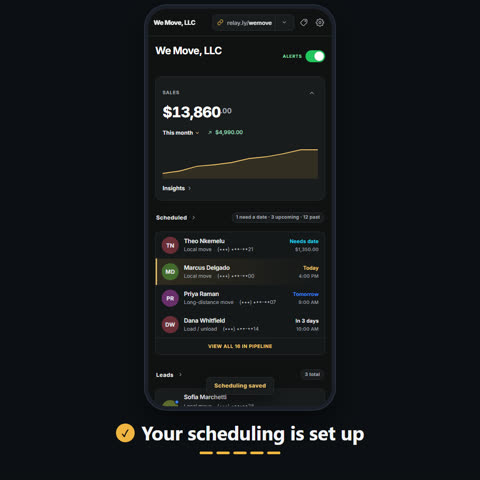
RelayOS assumes one person, or a small crew, doing all of it. There is one dashboard and one login.
How jobs get on the schedule
In field service software, the office usually creates the job and assigns it to a technician.
In RelayOS, the customer picks the time on your booking page, from the appointments or time windows you set. The job lands on your dashboard and, if you have connected it, on your Google Calendar.
Running the job
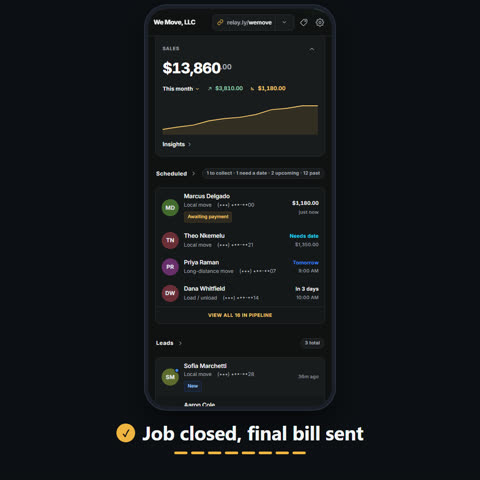
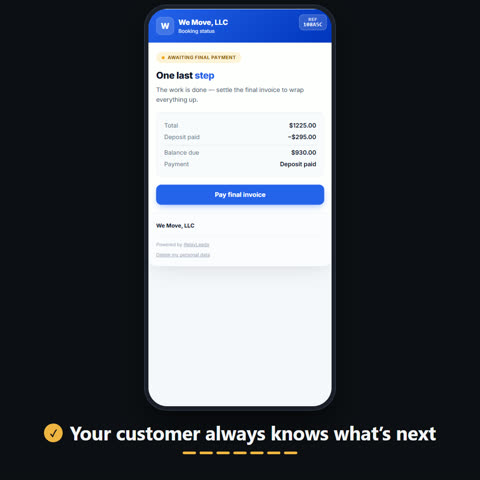
In RelayOS you tap On my way, Start Job and Close Job from your phone. Your customer follows along on a status page, and you send the final bill when you close the job.
Each time window can have a limit on how many jobs it takes, so you do not overbook a day.
What RelayOS does not do
RelayOS does not have a dispatch board, and it does not assign jobs to individual technicians or plan their routes.
It does not track inventory or parts.
When field service software is the better fit
Choose field service software if you have an office dispatching several technicians, need to route them through the day, or manage parts and inventory.
Choose RelayOS if you do the work yourself or with a small crew, want customers to book and pay without a phone call, and want to run the whole job from your phone.