Booking fees, credits and discounts
How to charge a booking fee, credit it toward the final bill, set your cancellation window, and take a discount off an invoice in RelayOS.
The short answer
A booking fee is a flat amount a customer pays to reserve their visit, like a trip fee. You set it under Settings, then Scheduling, then Booking fees.
Tick Credit toward the job and the fee comes off that customer's invoice once they have paid it. Leave it unticked and the fee stays separate from the price of the work.
Charge a booking fee
Open Settings, then Scheduling, and open Booking fees at the bottom. Type an amount next to a fee and save. Leave a fee blank to not charge it.
There are five: a trip fee on every booking, a same-day fee, a weekend fee, an after-hours fee, and an out-of-area travel fee. You need Square connected first.
Credit the fee toward the job
Under each fee is a Credit toward the job checkbox. Tick it and save.
From then on, when you build an invoice for a customer who paid that fee, it is already there as a discount, for example Trip / dispatch fee credit, minus $25.00. You can remove it with the x if it should not apply.
The credit is used once per job. If you cancel an invoice and send a new one, the credit comes back.
It applies to bookings made after you tick the box. For a job booked before that, add a discount by hand.
Set your cancellation window
In Settings, then Scheduling, under Booking limits, switch on Free cancellation and set Cancel notice, the number of hours before the visit a customer can still cancel free. The default is 48.
A customer who cancels with more notice than that gets back what they paid at booking. Closer to the visit than that, the booking fee or deposit is not refunded. Switch Free cancellation off and what a customer pays at booking is never refunded.
Set reschedule limits
Under Free cancellation is Allow rescheduling. Switch it on and customers can move their booking to another time from their booking page. Switch it off and they are told to contact you instead. They can still cancel.
Tap Show more for two finer settings. Reschedules is how many times a customer can move their booking once free cancellation has ended. Before that, moving it is always free. Lock changes is the number of hours before the visit when the booking locks. From then on the customer cannot reschedule or cancel from their booking page and is asked to contact you. It cannot be longer than your cancel notice.
The defaults are one reschedule and a 24 hour lock.
What your customer sees
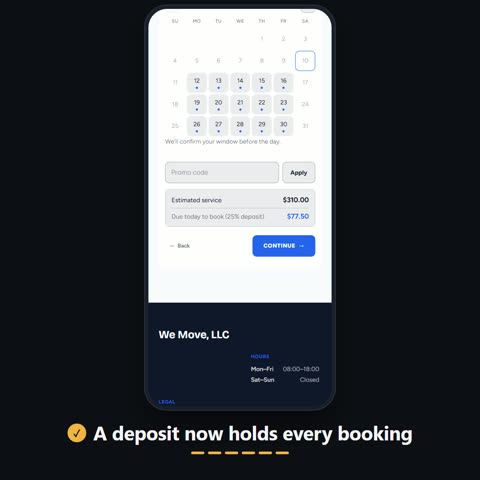
Your booking form states the terms next to the fee before they book. For example: A $25.00 trip / dispatch fee is due today to reserve your visit. It's credited toward your final total. It's non-refundable if you cancel with less than 24 hours' notice.
The email asking for the fee says the same thing. Their booking page repeats it, and if they tap Cancel it tells them whether the fee will be refunded before they confirm.
Take a discount off an invoice
In Create Invoice or Close Job, on the line items step, tap Discount or promo. Give it a name, enter an amount, choose dollars or percent, and tap the plus.
On an invoice for the full amount, each discount shows as its own line on the Square invoice, so your customer sees what came off. On a deposit invoice, the discount lowers the job total and the deposit is taken from that.
Discounts cannot take an invoice to zero. If nothing is owed, use Close Job and close with no charge.
How your customer gets the invoice
RelayLeads emails your customer as soon as you send an invoice. The email links to their booking page, and they pay from there through Square.
A booking fee email reads as a fee, and a final bill reads as an invoice, with any fee credit named in it.